Why it exists
Monitor Glucose was made by the parent of a child with diabetes. It started with the nights: checking a phone at 3 a.m., squinting at a number too small to read, alarms loud enough to wake the whole house, and not knowing whether a missing reading meant a sensor, a phone or the internet.
Every part of Monitor Glucose answers one of those nights. Each feature was built because a real family needed it, then tested with a real Loop, sensor and pump.
One code base, every screen
The iPhone, Android and web apps share one code base, so an improvement reaches all of them at the same time.
Quick to add what you ask for
Layouts, alarms and screens are built from small, adjustable parts, so a new idea can often go from a request to an update in days.
Built to scale
From one family on ordinary web hosting to many people, without changing the apps: they all speak the same open Nightscout language.
One app on every screen
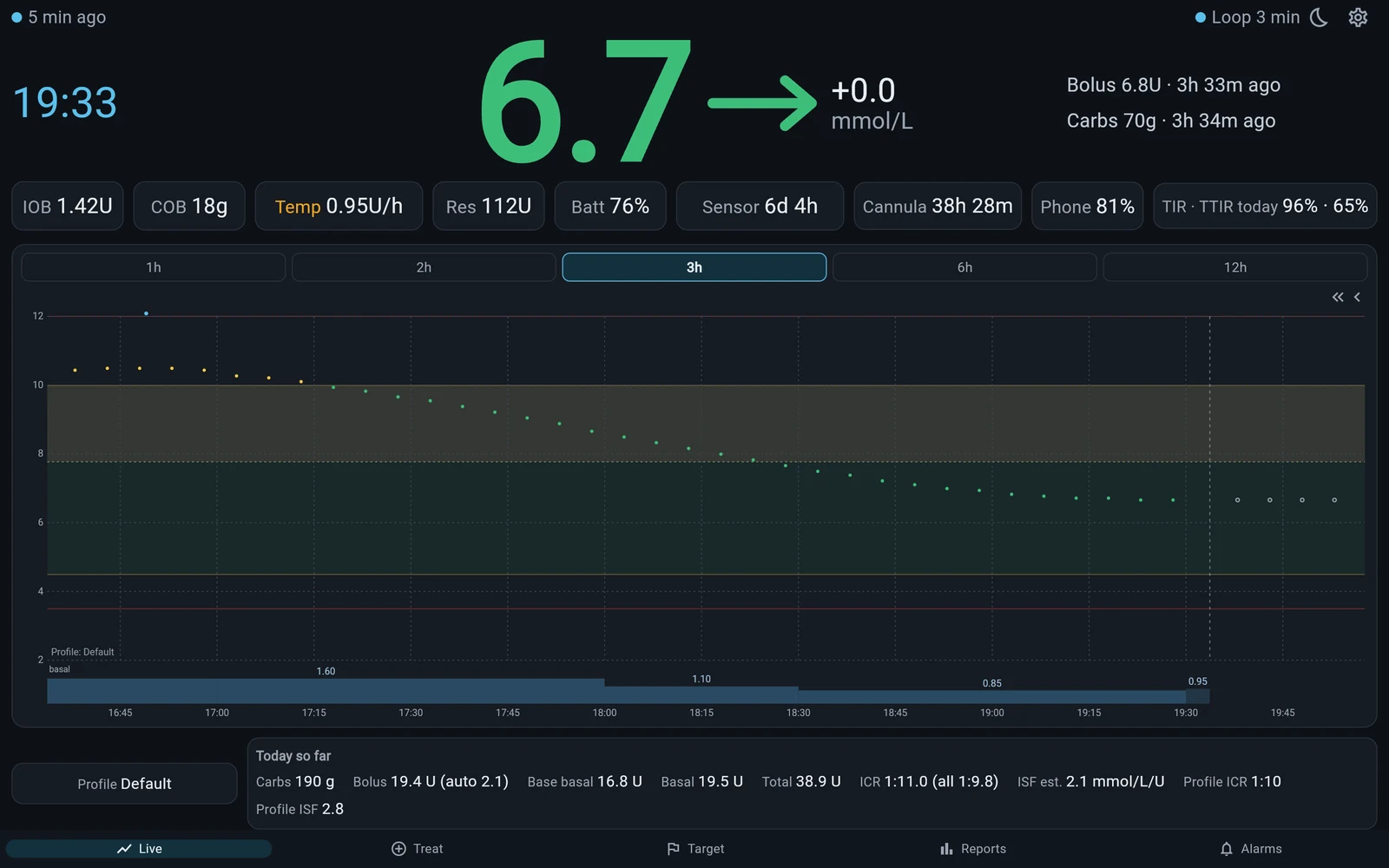
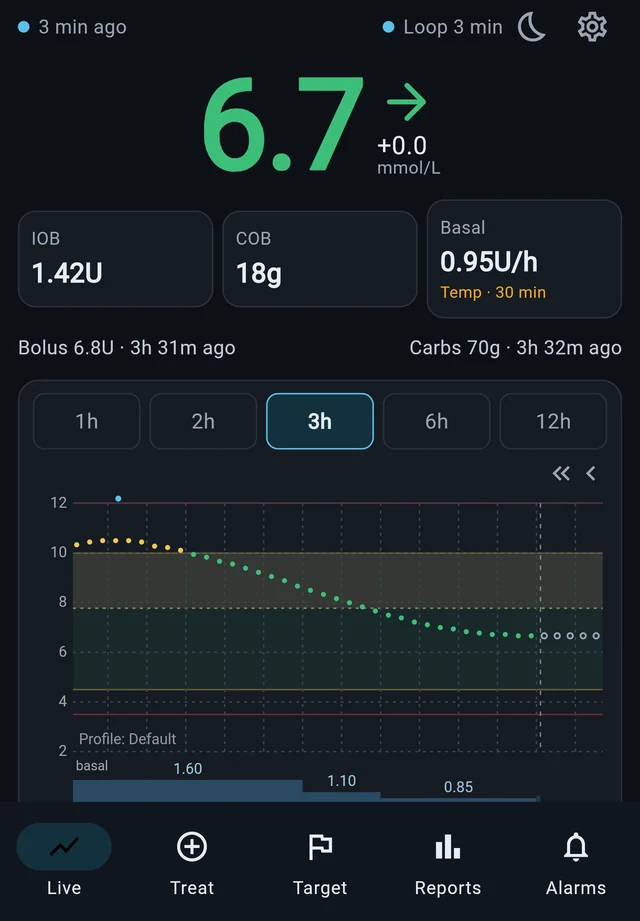
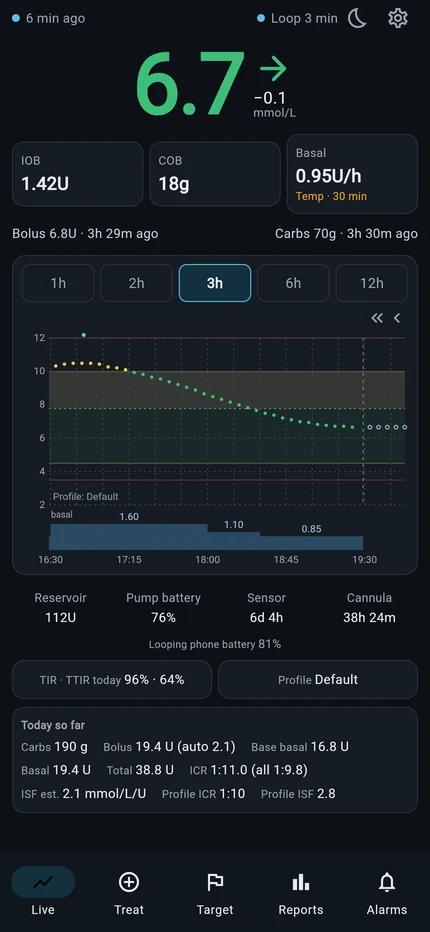
Monitor Glucose is one ecosystem, designed to look, feel and work the same on every device. The same screens, the same readings, the same alarms and the same settings, whether you follow on a computer, a tablet, an iPhone or an Android phone. Learn it once and you know it everywhere.
How the family fits together
Monitor Glucose is an ecosystem: one Loop phone in a child's hand, one server in the middle, and every family member following on the screen they have, with the same look, the same feel and the same behaviour on all of them. Choose how it connects to Nightscout, or leave Nightscout out entirely.
1. Loop to Nightscout and the server at the same time
The child's Loop phone uploads to both. The server shares the readings with Dad's Android phone, Mom's tablet and the brother's computer.
2. Loop to Nightscout, the server copies from it
Nothing changes in Loop. The Monitor Glucose Server copies the readings from Nightscout and shares them with the whole family.
3. Loop to the server only
No Nightscout needed. The server is the family's only site and shares the readings with every device.
Coming soon to the App Store and Google Play
Monitor Glucose
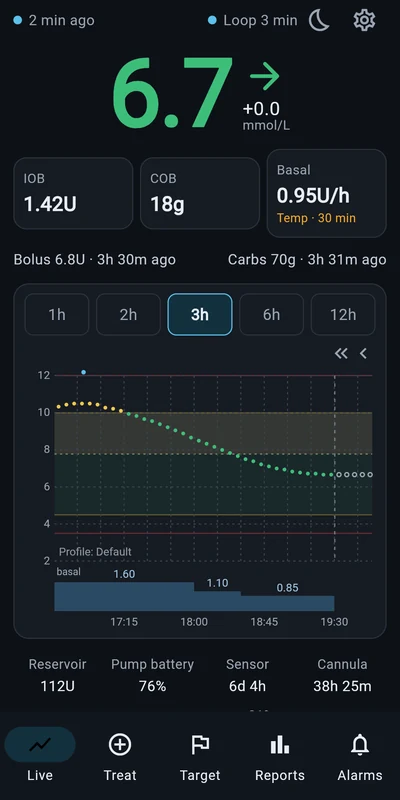
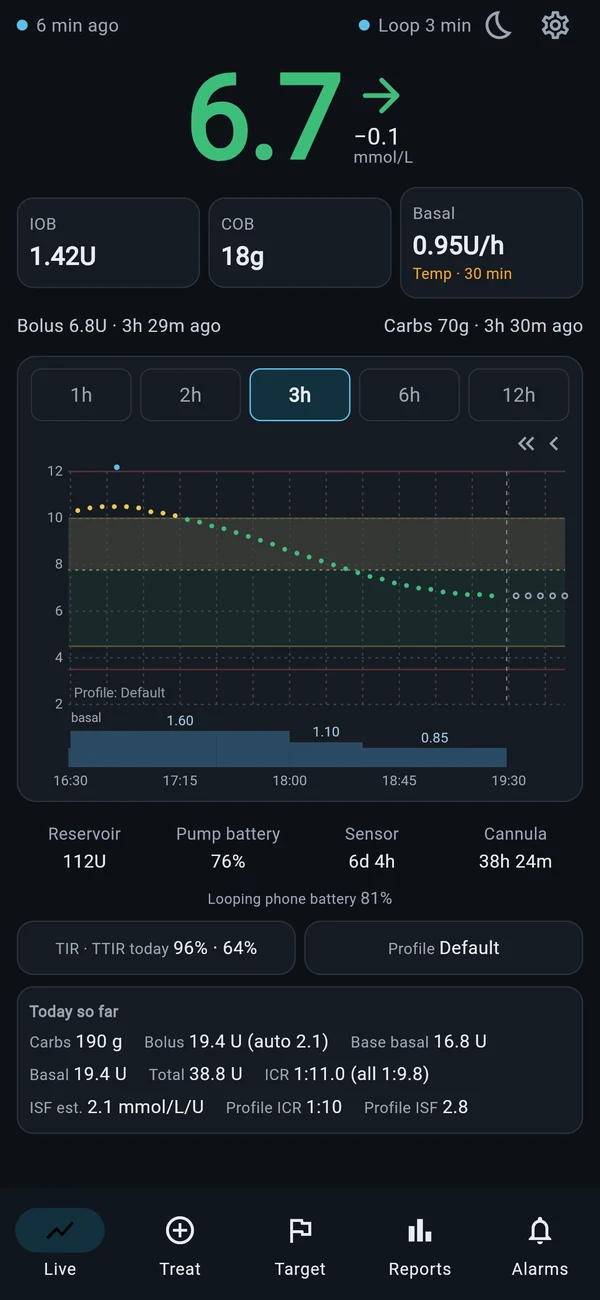
The app for iPhone and Android. It follows the readings on your Nightscout site, day and night.
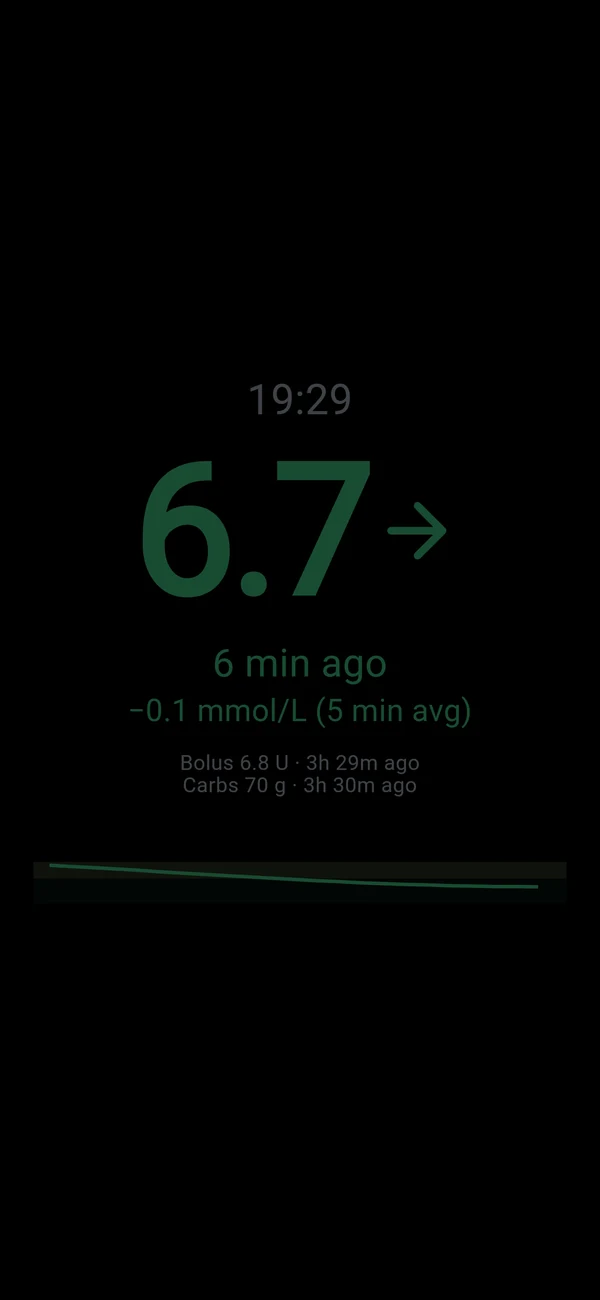
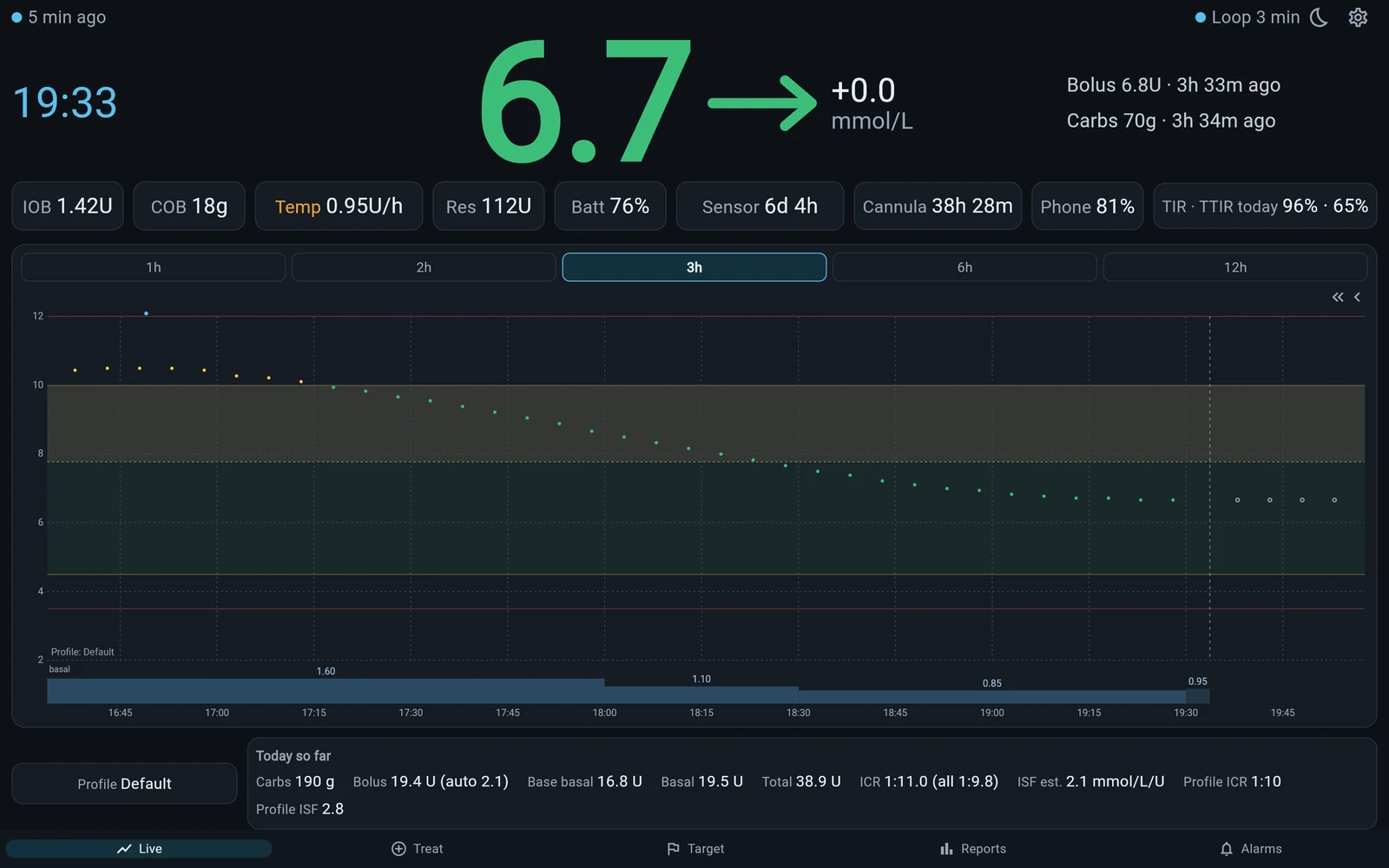
- A night view you can read from across a dark room, dimmed and fully adjustable.
- Red, yellow and green zones for each part of the day.
- Soft-music alarms with rising or falling volume and your own snooze buttons.
- Insulin and carbs on board, basal, the last loop and its prediction, from Loop, Trio or AndroidAPS.
- Says why when readings or loops are late: no internet, site down, CGM connection down.
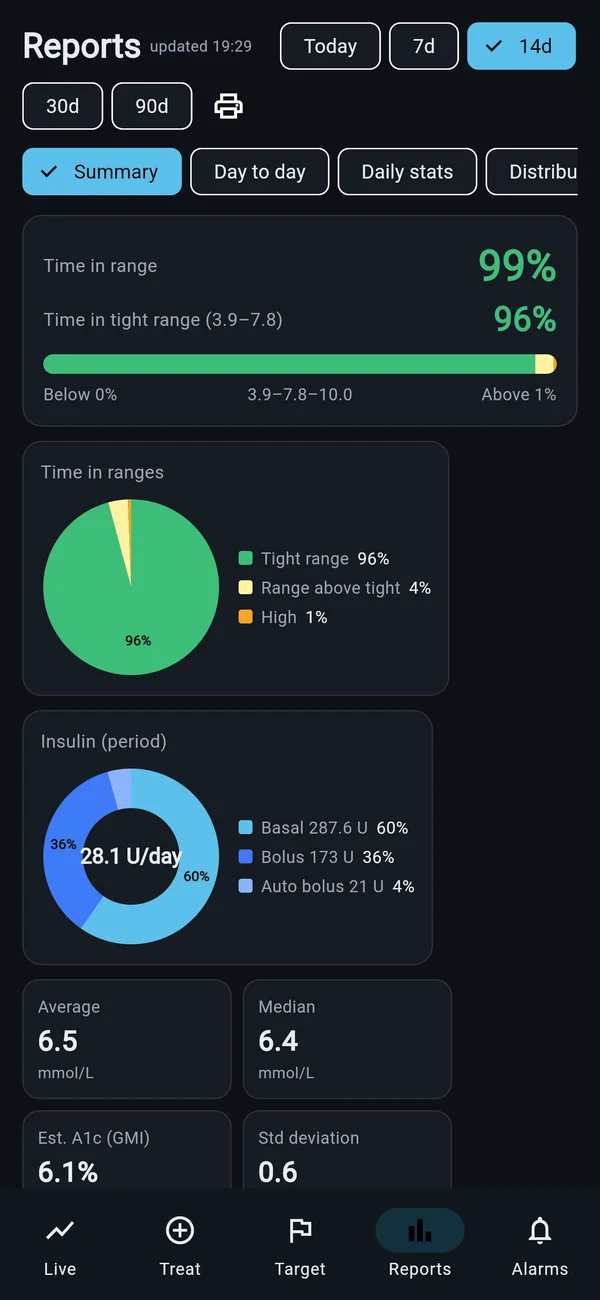
- Time-in-range reports as PDF, a bolus calculator, and a before-sleep checklist.
Build it yourself from GitHub, instructions coming
Monitor Glucose Plus
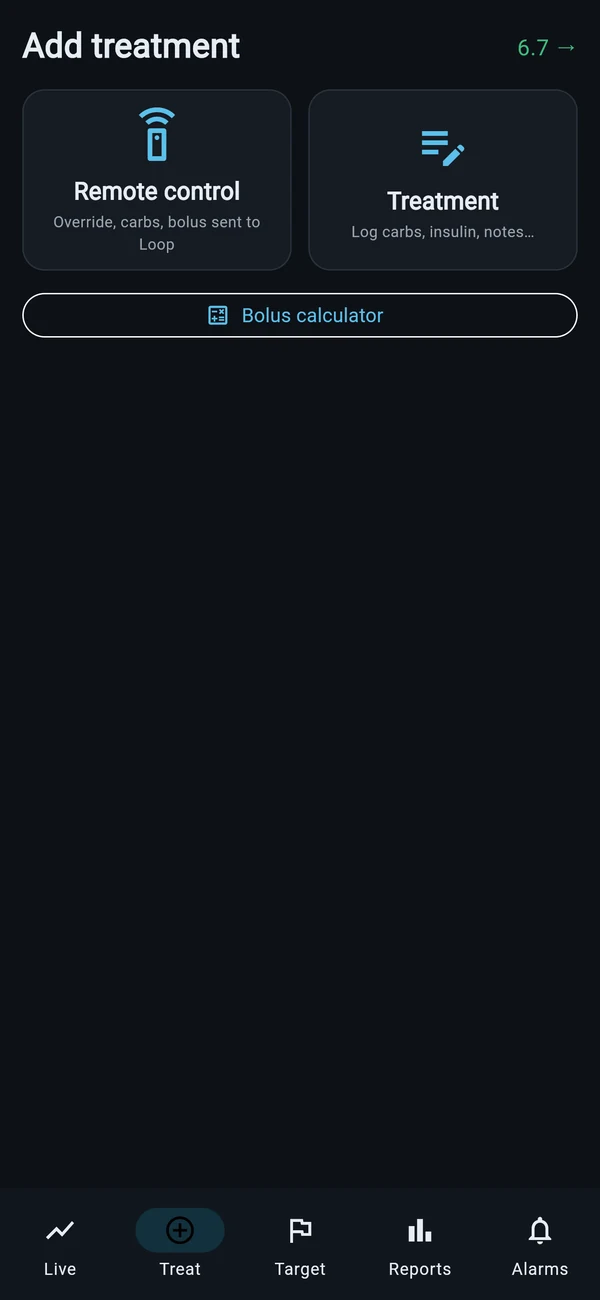
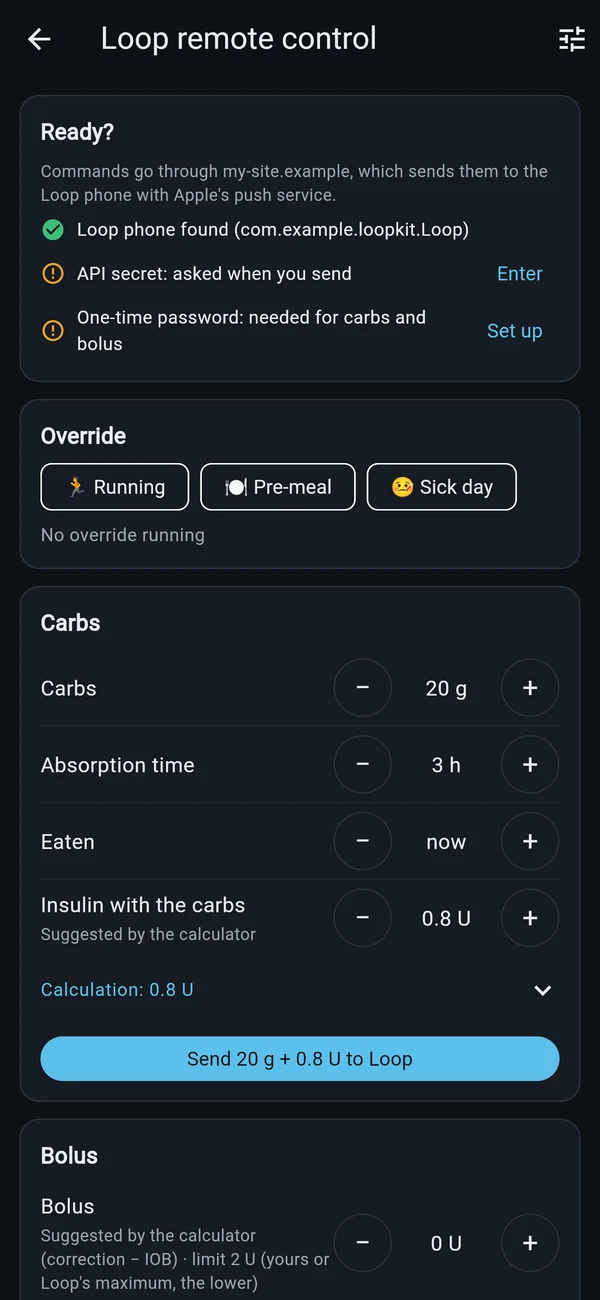
Everything in Monitor Glucose, plus Loop remote commands for parents and caregivers.
- Send carbs, a bolus or an override to the Loop phone you follow.
- Suggested bolus from the carbs, with every step of the calculation shown.
- Each command confirmed with Face ID, Touch ID or your phone's PIN, with safety limits you set.
- Built the way Loop and Trio users already know: fork on GitHub, run the build, install from TestFlight.
Coming soon
Monitor Glucose Web
The same app in any browser, on a computer, a tablet on the kitchen counter or a screen at work. Nothing to install, with the same screens and options as the phone app.
In use by our family, available later
Monitor Glucose Server
Your own glucose server, on your own web hosting. It speaks the Nightscout language, so Loop, Trio, AndroidAPS and the Monitor Glucose apps work with it as they do with Nightscout, and it runs completely independently of Nightscout.
Four ways to use it
- A second service next to Nightscout. In Loop it is added as its own service, so Loop uploads to Nightscout and to your server at the same time, and each keeps a full, independent copy.
- A copy of your Nightscout. It imports your whole Nightscout history (readings, treatments, loop status) in one go, then keeps copying new readings every minute, with nothing to change in your looping app.
- A backup CGM source. When Nightscout is down, Loop can read its glucose from the server instead, with one tap in its CGM settings, and switch back just as easily.
- A replacement for Nightscout. It can take over completely: Loop, Trio, AndroidAPS and the apps use it as their Nightscout site, and you keep your whole history.
What it does
- Reads FreeStyle Libre directly through LibreLinkUp, every minute, with no extra uploader phone.
- Keeps Loop looping. It wakes Loop the moment a new reading arrives, so it loops every five minutes even without a Bluetooth link.
- Tells the apps what's wrong: the Libre connection, the main Nightscout, or Loop not uploading, behind the flashing messages in the apps.
- A clear event log of every reading, wake-up and loop, with the time between them.
- Light to run: PHP and MySQL on ordinary shared hosting, with no special server to manage.
It will be offered two ways: install it yourself on your own hosting, or let us host it for you.
- Sensor → LibreLinkUp
- Monitor Glucose Server
- Loop, Trio, AndroidAPS
- Monitor Glucose apps and web
Tell us what you'd like to see
Most of Monitor Glucose exists because someone asked for it. If there's a screen, an alarm or a report that would make your nights easier, write to us.
support@monitorglucose.ca